Create a Course
Teachstack will initialise a course by cloning a course template for your chosen language into a new repository in your GitHub account. This will create a binding between the course object created in the Teachstack backend and your repository that contains the course material.
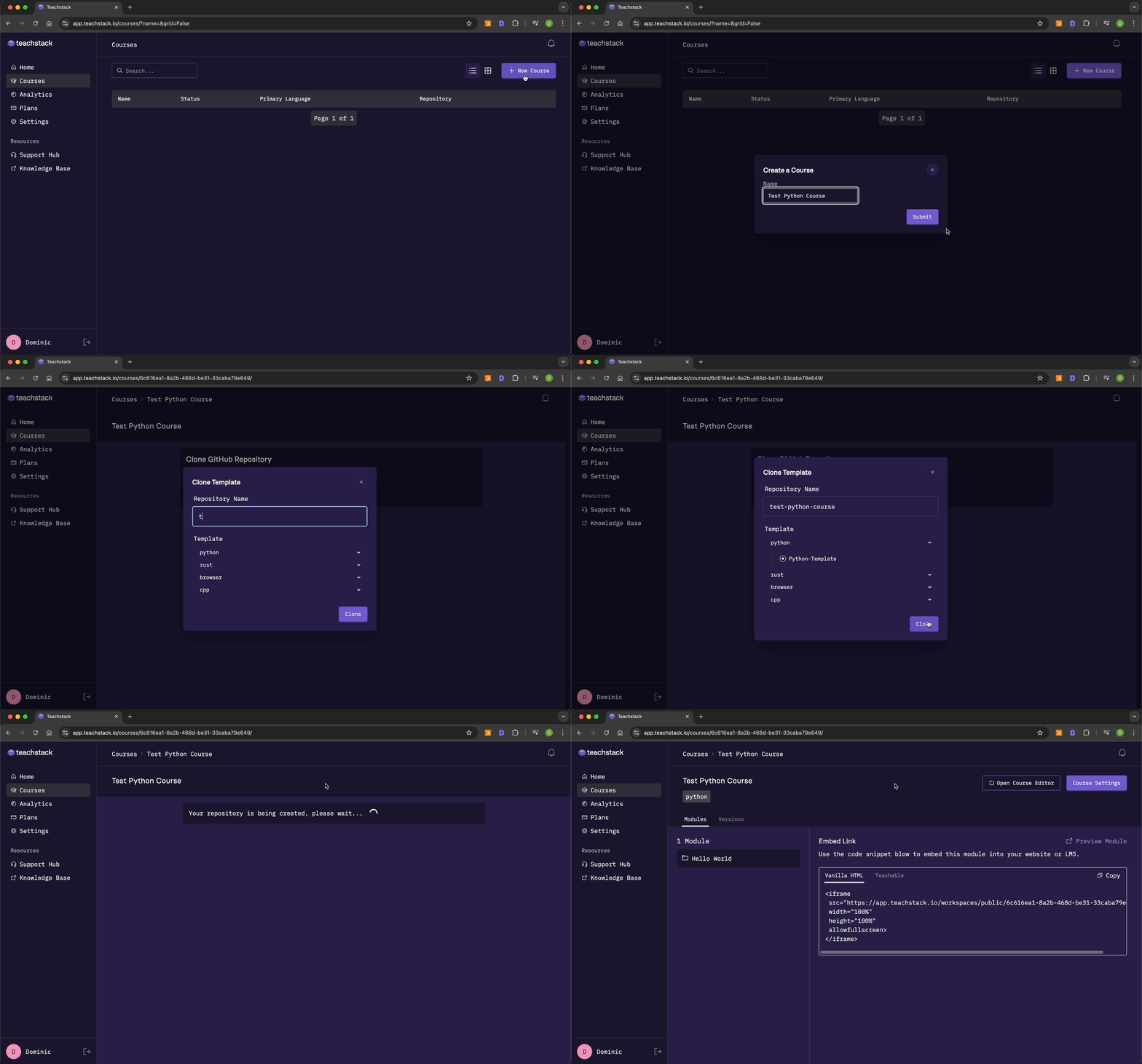
- Navigate to the Courses page using the sidebar.
- Click the New Course button in the top right-hand corner to start the course creation workflow.
- Enter a course name. This is a human readable name for your reference on the Teachstack platform. You can change this name in the future.
- Click Clone Template to open a modal that will allow you to name your course repository and select programming language. You will not be able to edit this in the future.
- After ~10 seconds your repository will be initialised and you will be presented with a management dashboard for your course.
tip
If it's your first time creating a course and you have time to familiarise yourself with the Teachstack platform, we recommend that you clone the Python template. It comes with a complete Python for Beginners module that illustrates an ideal course structure.